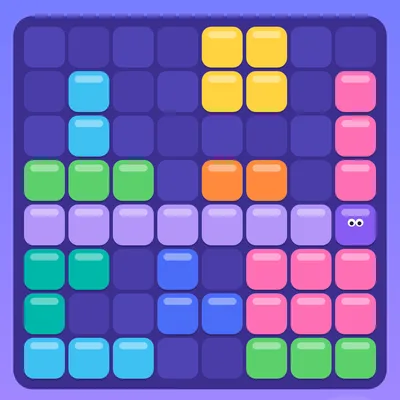
How to play
- Grab one of the three shapes at the bottom and drag it onto the board.
- Fill a whole row or column to pop its blocks.
- Clearing several lines at once gives extra points.
- The game ends when no shape fits anymore.
Controls
Touch/mouse: hold a shape and drag it onto the board (it shows above your finger). Keyboard: 1-3 pick a shape, arrow keys move it, Space places it. P: pause.
About the game
Block Pop Puzzle is a calm yet thoughtful placement puzzle. Three colorful shapes appear at the bottom of the screen each round: single squares, bars, corner L pieces, big squares and more. Grab a shape with your finger or mouse and drag it onto the eight by eight board. When a row or a column is completely filled, its blocks sparkle and pop, making room for more. Clear several lines at once for bonus points, and keep clearing on back-to-back moves to build a streak reward. While you drag a shape, the lines it would complete light up in advance, so planning your move is easy. There is no timer, so you can take your time and think. The game ends when none of your shapes fit on the board, so remember to save space for the big pieces. On a keyboard, choose a shape with keys 1, 2 and 3, move it with the arrow keys and place it with Space. Free to play with no download.
FAQ
Is there a timer in Block Pop Puzzle?
No, there is no timer. You play until none of the shapes fit.
How do I score more points?
Clear several rows and columns at once and keep clearing on consecutive moves to build a streak.
Can I play with a keyboard?
Yes: pick a shape with 1-3, move it with the arrows and place it with Space.